Choosing the Right Printer or MFD for Your Business
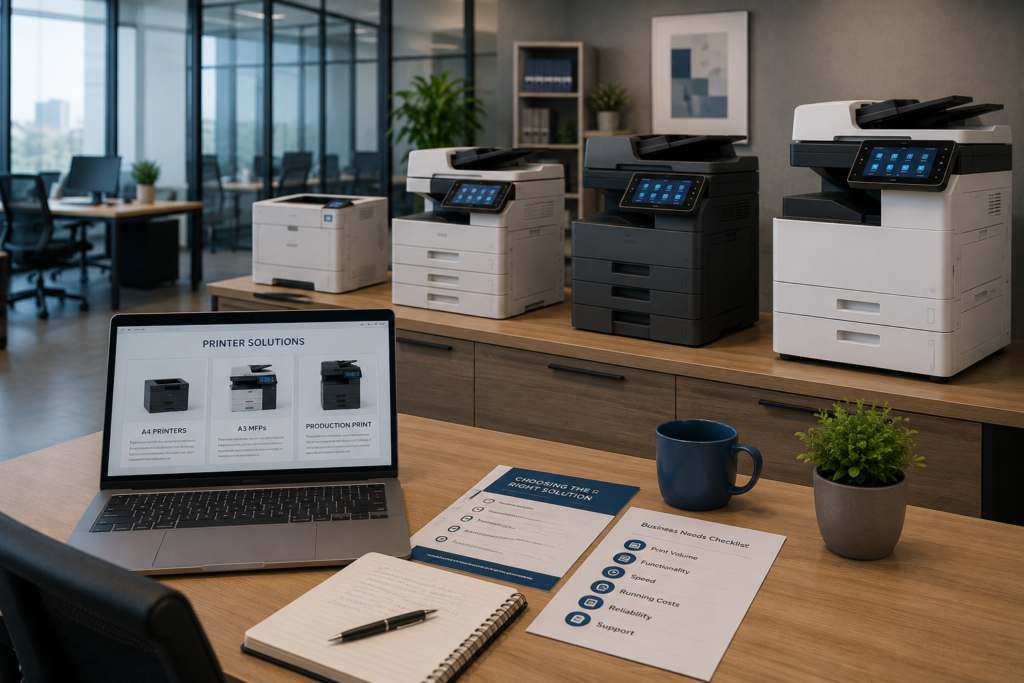
Choosing a printer or multifunction device for your business is about more than comparing purchase prices.
Print volume, speed, functionality, running costs, reliability, security and the way your employees actually work all play a role in deciding which solution is right for you.
The cheapest machine to buy is not necessarily the cheapest machine to operate.
A better approach is to start with your business requirements and then select equipment that matches them.
Here are the key things to consider.
Start With Your Print Volume
Before choosing a printer, you need to understand how much your business actually prints.
This sounds obvious, but print volume is often estimated rather than measured.
Consider:
- How many pages are printed each month?
- How much is black-and-white?
- How much is colour?
- How many people will use the device?
- Are there departments with significantly higher print volumes?
- Are there periods when printing increases substantially?
A printer designed for occasional use may not be suitable for a busy department producing thousands of pages every month.
At the same time, putting a high-capacity device into a low-volume environment can mean paying for capacity and features that are rarely used.
Business printer ranges are generally designed around different user groups and workloads, making print volume an important starting point when selecting equipment.
The right printer should match your actual workload — not an imagined one.
Decide Whether You Need a Printer or an MFD
Not every employee needs the same equipment.
A standard printer may be perfectly suitable if the requirement is simply to produce documents.
A Multifunction Device (MFD) combines several functions in one device, typically including:
- Printing
- Copying
- Scanning
- Automatic document feeding
- Two-sided printing and scanning
- Document workflow functions
For businesses that regularly scan, copy and distribute documents, a MFD can consolidate several tasks into one device.
For users who only print occasionally, however, a simpler printer may be more appropriate.
Modern business MFDs can also support digital document workflows, helping businesses move information from paper into digital processes rather than treating the device as simply a copier with a printer attached.
The question isn’t:
“Which machine has the most features?”
It is:
“Which features will actually help our business?”
Consider Whether You Need A4 or A3
For many businesses, A4 printing is sufficient.
But some organisations regularly work with documents that require a larger format.
A3 capability can be valuable for businesses dealing with:
- Architectural drawings
- Engineering documents
- Large spreadsheets
- Plans and diagrams
- Marketing material
- Presentations
- Large-format reports
DEVELOP’s office range includes both A4 solutions and A3/SRA3 multifunction systems, allowing businesses to select equipment according to their document and workflow requirements.
The important thing is not to buy A3 equipment simply because it offers more capability.
Ask yourself:
How often do we actually need to print larger than A4?
If the answer is rarely, an A4 solution may be the more practical option.
If A3 documents form an important part of your workflow, choosing equipment that supports them can make a significant difference to productivity.
The right choice should be based on what your business needs to produce, rather than simply choosing the largest device available.
Decide How Important Colour Really Is
Colour can make documents more effective and professional, but not every business document needs it.
Look at what your employees are actually printing.
Black-and-white printing may be ideal for:
- Invoices
- Statements
- Internal reports
- Forms
- General correspondence
- Routine documentation
Colour printing may be important for:
- Presentations
- Marketing material
- Charts and graphs
- Client-facing documents
- Branded communications
- Sales proposals
If most of your printing is black-and-white, there may be little benefit in providing colour capability to every user.
On the other hand, businesses that regularly produce customer-facing or marketing documents may need colour as an important part of their print environment.
The goal is to provide colour where it adds value — not simply because the device can produce it.
Look Beyond Print Speed
Print speed is usually one of the first specifications people compare, but pages per minute are only part of the story.
A business should also consider:
- Paper tray capacity
- Automatic document feeder capacity
- Automatic duplex printing
- Duplex scanning
- Additional paper trays
- Supported paper sizes
- Finishing options
- Scanning speed
- Network connectivity
A busy department can become frustrated constantly refilling paper trays or manually processing multi-page documents, even when the printer itself has a respectable print speed.
Business printers and MFDs are available with different combinations of speed, paper capacity, scanning and workflow capabilities to suit different workloads.
Think about the complete workflow, not just how quickly one page comes out.
Calculate the Total Cost of Ownership
This is one of the most important considerations — and it connects directly with our previous article on reducing printing costs.
The purchase price is only one part of the cost.
You also need to consider:
Hardware + consumables + maintenance + service + energy + downtime = the real cost of printing
A printer that costs less upfront can become more expensive over its useful life if it has higher consumable or maintenance costs.
Cost-per-page calculations can help businesses compare the ongoing cost of different devices. Total cost of ownership should also take expected print volume, ownership period, consumables and service costs into account.
For businesses with predictable print volumes, a Cost Per Copy (CPC) model can also provide a clearer picture of ongoing printing expenditure.
This is why the question shouldn’t simply be:
“How much does the printer cost?”
A better question is:
“What will this printer cost us over the time we expect to use it?”
Don't Forget Security
Today’s printers and MFDs are connected business devices.
They can store information, communicate across the network and scan documents directly into digital systems.
That means security should form part of the purchasing decision.
Depending on the business and the equipment, useful security features can include:
- User authentication
- Secure print release
- Access controls
- Network security
- Firmware protection
- Secure scanning
- Print management policies
Current business printer ranges increasingly incorporate security and management features alongside printing and scanning capabilities.
Security becomes particularly important when employees are printing confidential information such as:
- Financial records
- Customer information
- Contracts
- Employee records
- Legal documents
- Sensitive business information
A printer shouldn’t be treated as simply another peripheral sitting on a desk.
It is part of your business’s technology environment.
Think About How Your Business Will Grow
Your requirements today may not be the same as your requirements two or three years from now.
Before choosing equipment, consider:
- Is the business growing?
- Will more employees use the device?
- Could print volumes increase?
- Are new departments or branches planned?
- Are document workflows becoming more digital?
- Will scanning become more important?
- Could additional security or print-management controls be required?
Choosing equipment with some realistic capacity for growth can prevent the need for another replacement too soon.
But there is a balance.
You don’t want to pay for excessive capacity today simply because your business might need it one day.
The objective is to choose equipment that meets your current requirements while allowing for sensible, realistic growth.
The Bottom Line
There is no single printer or MFD that is right for every business.
The right solution depends on your print volume, document requirements, users, workflow, budget and future plans.
That’s why choosing business printing equipment should start with understanding your requirements — not browsing a list of printer prices.
A proper assessment can identify what you’re printing, how much you’re printing, where you’re printing and what equipment is actually required.
At Gecko Technical Services, we help businesses assess their print environments and select practical Print & Document Solutions that match the way they work.
From A4 printers and MFDs to A3 multifunction devices and managed print environments, the goal is simple:
The right equipment, in the right place, for the right job.
Need help choosing the right printer or MFD?
