From Paper to Digital: Improving Document Management
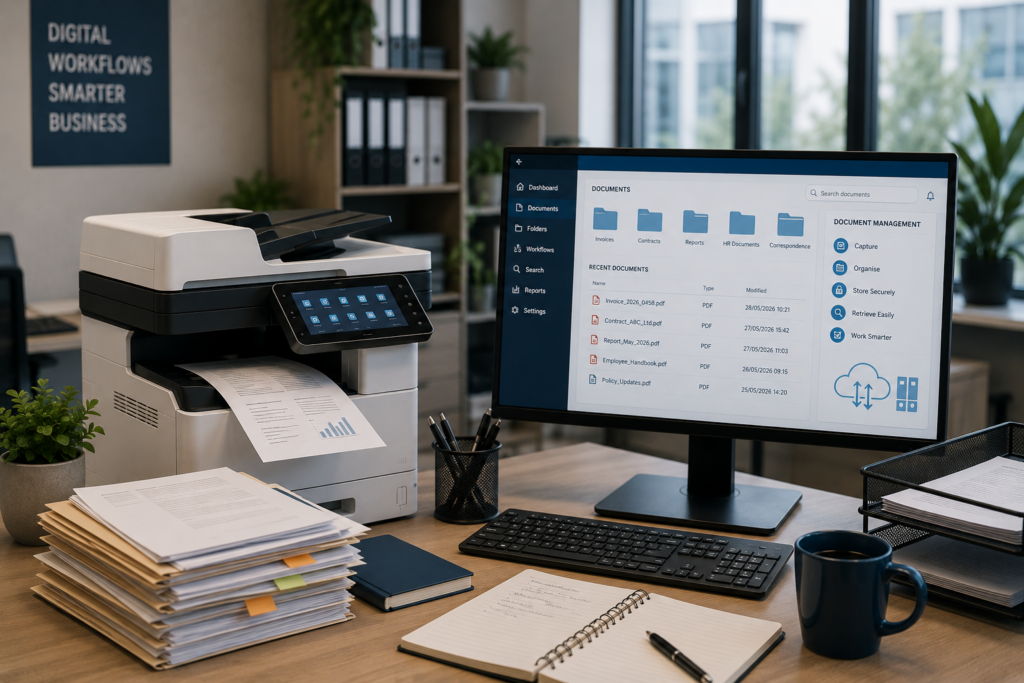
Businesses still rely on documents every day. Invoices, contracts, customer records, reports, applications, purchase orders and internal forms all contain information that needs to be captured, stored and accessed.
The challenge is that managing large volumes of paper can make everyday business processes slower and more difficult to control.
Documents have to be printed, filed, copied, scanned, emailed and sometimes physically moved between departments. Finding an older document can take valuable time, while misplaced paperwork can create delays and unnecessary risk.
Digital document management offers a better way to organise this information.
The goal isn’t necessarily to eliminate paper completely.
It is to make business information easier to capture, manage, secure and retrieve.
Start Identifying Where Paper Is Slowing Your Business Down
Before investing in new technology, look at how documents actually move through your business.
Ask simple questions:
- How many documents are printed every day?
- How much time is spent filing paperwork?
- How long does it take to find an older document?
- How many documents are scanned and emailed manually?
- How are documents approved?
- Who has access to confidential information?
- What happens when an important document is lost?
- Are employees working from different versions of the same document?
These questions can reveal where paper-based processes are creating unnecessary work.
A business may discover, for example, that an employee spends several hours each week searching through files, scanning documents or manually distributing paperwork.
That is an operational cost that isn’t always visible on an invoice.
Digitise the Documents That Matter Most
Going digital doesn’t mean that a business has to scan every piece of paper it has ever produced.
A better approach is to start with documents that are frequently used, difficult to manage or particularly important to the business.
These could include:
- Customer records
- Contracts and agreements
- Invoices
- Purchase orders
- Human resources records
- Service documentation
- Financial records
- Applications and forms
- Internal reports
Once these documents are digitised, they can be stored in a structured environment where authorised employees can access them when required.
Document management systems are designed to capture, track and store electronic documents, while features such as indexing, access control, version management and audit trails can make information easier to manage.
Don't Just Scan Documents — Make Them Searchable
One of the biggest mistakes businesses can make is assuming that scanning a document automatically solves the document-management problem.
It doesn’t.
A scanned document can simply become another file that someone has to search through manually.
Effective document management adds structure to the information.
Documents can be indexed using information such as:
- Customer name
- Account number
- Invoice number
- Document type
- Date
- Department
- Supplier
- Reference number
This makes it much easier to locate the correct document when it is needed.
Technology such as optical character recognition (OCR) can also help extract information from scanned documents and turn it into searchable digital content. Modern document workflows can use metadata and automated capture to make documents easier to classify and route.
The objective is therefore not simply:
Paper → PDF
It is:
Paper → Digital document → Indexed information → Easily retrievable record
Improve the Way Documents Move Through Your Business
Document management becomes even more valuable when it is connected to business workflows.
Consider a typical supplier invoice.
A paper invoice might be:
Received → Printed → Filed → Sent to accounts → Checked → Approved → Captured → Filed again
A digital workflow can simplify this process:
Received → Captured → Indexed → Routed → Approved → Stored
The exact process will depend on the organisation, but the principle is the same: reduce unnecessary manual handling.
Document workflow systems can help automate routing, approvals, indexing and archiving while controlling which employees have access to specific information.
This can save employees time and reduce the risk of documents being misplaced or sent to the wrong person.
Make Documents Easier to Find
How much time does your business lose looking for documents?
It may be only a few minutes at a time, but those minutes add up.
A centralised document-management environment can give authorised employees a consistent way to locate information instead of searching through filing cabinets, email inboxes, desktop folders and shared drives.
Better search and retrieval can also reduce duplicated work.
If an employee cannot find the original document, they may simply recreate it. This can result in multiple versions of the same information being stored in different places.
A properly structured document environment can provide a clearer record of which document is current and who has accessed or changed it.
Protect Sensitive Business Information
Document management isn’t only about efficiency.
It is also about security.
Businesses regularly handle personal and confidential information, including employee records, customer information, financial documents and contracts.
South Africa’s Protection of Personal Information Act (POPIA) requires responsible parties to implement appropriate, reasonable technical and organisational measures to protect personal information against loss, damage, unauthorised destruction, unlawful access and unlawful processing.
That means document security should form part of the overall information-security strategy.
A digital document environment can incorporate controls such as:
- User permissions
- Authentication
- Access restrictions
- Encryption
- Audit trails
- Secure storage
- Backup and recovery
- Controlled document sharing
The Information Regulator also identifies measures such as access controls, encryption and secure storage as important elements of protecting personal information.
Businesses should therefore consider who needs access to a document, why they need it and how that access is controlled.
Connect Your Printers and MFDs to the Digital Workflow
Moving from paper to digital does not mean that your printers and multifunction devices become irrelevant.
In fact, the multifunction device can become an important part of the document workflow.
Modern MFDs can provide the starting point for capturing information from paper documents.
A typical workflow might look like:
Scan → Capture → Process → Index → Store → Retrieve → Share
This means the printer is no longer simply producing paper.
It becomes part of the process that moves information into the digital environment.
For businesses that still receive paper documents from customers, suppliers, government departments or other organisations, this can provide a practical bridge between physical and digital information.
Don't Forget About Document Retention
Digitising documents creates another important question:
How long should you keep them?
Keeping everything forever isn’t necessarily good document management.
Businesses should establish appropriate retention policies based on the type of information, legal or regulatory requirements and their operational needs.
The aim should be to keep information for as long as it is legitimately required, while ensuring that documents that no longer need to be retained can be securely disposed of.
This is particularly important when personal information is involved.
Good document management therefore considers the complete lifecycle:
Capture → Store → Use → Share → Archive → Dispose
Start Small and Build From There
A common reason digital-document projects fail is trying to change everything at once.
Instead, start with one process.
For example:
Customer onboarding
Identify the documents involved, where they currently go, who handles them and where delays occur.
Then design a digital workflow that improves that process.
Once it is working, move on to another area.
This approach allows employees to become comfortable with the new system and gives management an opportunity to measure the benefits before expanding the project.
The Benefits Go Beyond Saving Paper
Reducing paper consumption can certainly help control costs, but that shouldn’t be the only objective.
A well-designed document-management process can help businesses:
- Reduce manual administration
- Find documents faster
- Improve collaboration
- Reduce duplicated work
- Improve document security
- Control access to sensitive information
- Create more consistent workflows
- Reduce reliance on physical filing
- Improve business continuity
- Make better use of employee time
Document management can therefore become an operational improvement rather than simply an IT project.
The Goal Isn't a Paperless Office
The idea of becoming completely paperless sounds attractive, but it isn’t necessarily realistic for every business.
Some documents will still need to be printed. Some customers will still provide paperwork. Some processes will still require physical documents.
The better objective is to identify where digital processes provide a genuine advantage.
Digitise where it makes sense. Print where it is necessary. Manage both properly.
That approach gives businesses more control over their information without forcing them to change everything overnight.
Bringing Print and Document Management Together
At Gecko Technical Services, we understand that printing is only one part of the document environment.
The right solution can combine printing, scanning, document capture, workflow and document management to help businesses work more efficiently.
Whether the requirement is improving a single document process or reviewing an entire print and document environment, the first step is understanding how information currently moves through the business.
Once that is understood, the technology can be selected around the business — rather than forcing the business to adapt to the technology.
Ready to Improve Your Document Workflow?
If your business is spending too much time printing, filing, searching for documents or moving paperwork between departments, it may be time to look at what can be digitised.
Gecko Technical Services can help you assess your print and document environment and identify practical opportunities to improve efficiency, security and document management.
